 View Cart
 sales@dataq.com
 330-668-1444
DATAQ Instruments Developer Network
C++ Resources
 |
|
 |
Need Help? Download the ActiveX Help file or post a question to the Developer Support Forum. |
How do I add the ActiveX Controls to my project in Visual C++ 6.0?
Note: You cannot add an ActiveX Control to ATL projects without MFC support, Win32 projects, or any other projects without a .clw file.
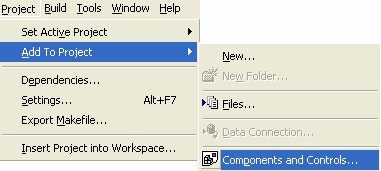
STEP 1: Click Project>>Add To Project>>Components and Controls:
STEP 2: In the Components and Controls Gallery, open the Registered ActiveX Controls folder:
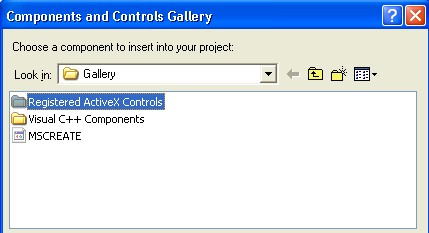
STEP 3: Click on the DATAQ ActiveX Controls that you want to add to your project and then click Insert. The DATAQ ActiveX Controls include: DataqSdk, DQChart, ReadDataqFile, WinDaq, WriteDataqFile, WWB:
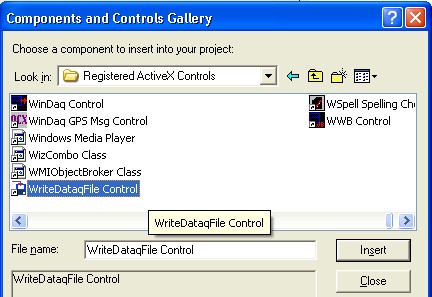
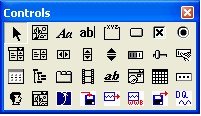
The selected ActiveX Controls will now appear in your toolbox: