 View Cart
 sales@dataq.com
 330-668-1444
DATAQ Instruments Developer Network
Visual Studio.NET Resources
 |
Download Example Visual Studio.Net Programs: VISUAL BASIC or C# |
 |
Need Help? Download the ActiveX Help file or post a question to the Developer Support Forum. |
How do I add DATAQ ActiveX controls to my Visual Basic.NET project?
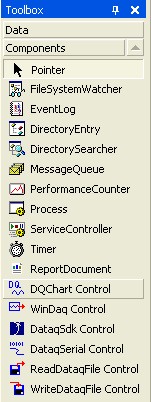
STEP 1: To add the DATAQ ActiveX components to your project, use your mouse to right click in an open space in the components area of your toolbox. Click Add/Remove Items...
This will open the Customize Toolbox screen.
STEP 2: From the Customize Toolbox screen, put a check mark next to the DATAQ ActiveX Controls you would like to use, and then click OK.
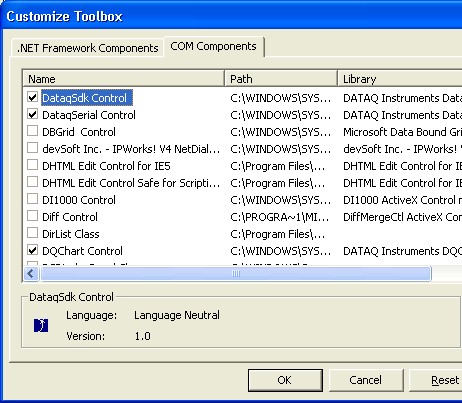
Your DATAQ components will appear in your toolbox, underneath the Components tab.