

 View Cart
 sales@dataq.com
 330-668-1444
MATLAB® Example Programs
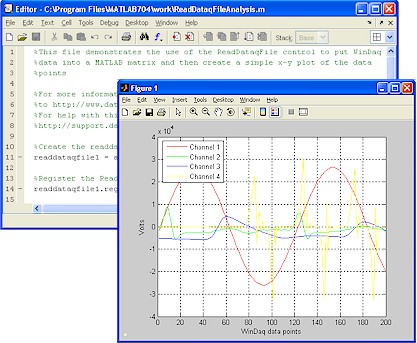 Use DATAQ ActiveX controls or the .NET class to port acquired data directly into MATLAB® from a WinDaq file or in real-time
- MATLAB® technical computing software can be used for high powered data analysis, mathmatical computation, and graphing
- M-file downloads are easy to understand and well documented
- Click here to find example programs
 START HERE! If you are new to using ActiveX Controls in MATLAB®, take a look at our step-by-step tutorial titled "Use DATAQ ActiveX Controls in MATLAB® (pdf)."
This tutorial explains in detail how to use the ReadDataqFile Control to port data from a WinDaq file into a MATLAB® matrix.
Find everything you need on the DATAQ Web:
- Download the DATAQ ActiveX Controls.
- Download the DATAQ ActiveX Help File.
- Find out your product DeviceID and DeviceDriver. It is necessary to know the DeviceID and Driver when using the DataqSDK control. Look at the DataqSDK.m example and then consult the ActiveX help file or look at information online.
- Click here to look at a list of the DATAQ control progid's and learn more about the MATLAB® syntax for obtaining information about ActiveX controls.
- Click here to find MATLAB® Examples.