

 View Cart
 sales@dataq.com
 330-668-1444
Uninstallation of WinDaq/XL
- Search for all files named "windaqxl.xla" using Windows' Search Utility (click on Start menu and choose Search > For Files or Folders).
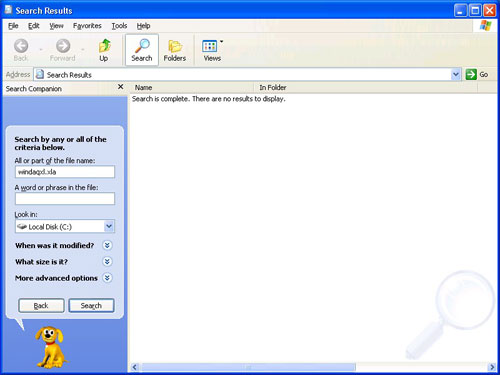
- Delete all found instances of "windaqxl.xla" by highlighting the file and pressing the delete key.
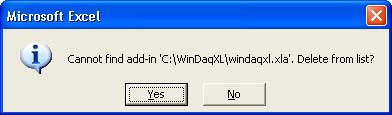
- Launch Microsoft Excel. Excel should complain about not finding "windaqxl.xla" - if it doesn't you haven't deleted them all - go back to step 1 and make sure all instances of "windaqxl.xla" are deleted.
- In Microsoft Excel click on Addins in the Tools menu.
- Scroll down to WinDaq/XL and un-check it.
- You will receive the following error message. Click the Yes button to continue with un-installation.
- In Excel click on Customize in the Tools menu. Click on the Toolbars Tab.
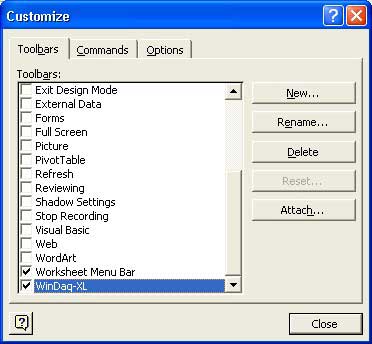
- Highlight WinDaq-XL and click the Delete button. This will completely remove WinDaq/XL software. Exit Microsoft Excel.
You can now reinstall WinDaq/XL.