

 View Cart
 sales@dataq.com
 330-668-1444
 RSS Feeds


Our new GBD to WDH converter gives you the ability to convert GBD files, created using GL220, or GL820 series instruments, to WDH format. Resulting WDH files can be opened in the WinDaq Waveform Browser for observation and analysis. For convenience, and to maintain 16-bit resolution, a high-res version of the WinDaq Waveform Browser is installed along with the converter.
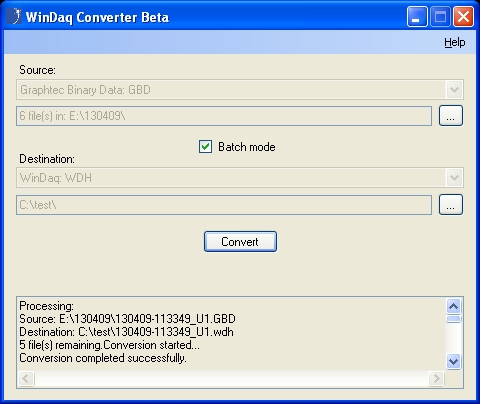
The straight-forward user interface allows you to select a single GBD file, or multiple files using ‘Batch mode’. As the name implies, batch mode allows you to convert a large number of files, with a single click.
Along with the data, scaling values, user annotation and event marks are transferred to the resulting WDH file.
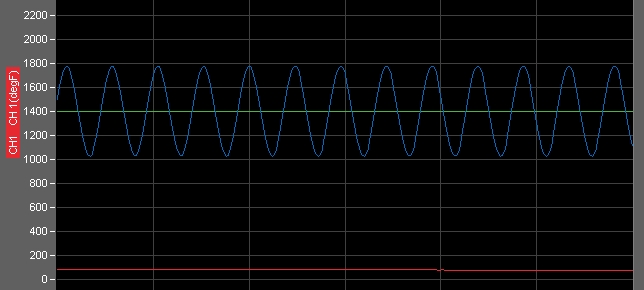
Source GBD file
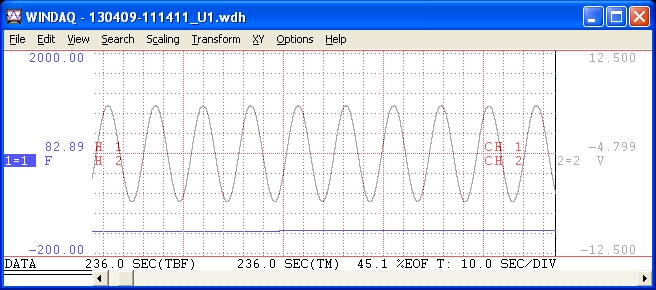
Resulting WDH file
You can download the WinDaq Converter beta here.
Comments and suggestions are welcome!
Follow Us


 Categories:
  Tags:
Tags: 


10 Comments
Lynn Fuller
I attempted to convert a 3 channel file recorded at 1 mS resolution resulting in a file size of approx. 0.8 GB. I got the following error message:
Processing:
Source: E:\13-09-23\10_31_42\130923-103142_UG_rep001.GBD
Destination: C:\Users\Lynn\Documents\WINDAQ\130923-103142_UG_rep001.wdh
Conversion started…
MSG: Index was outside the bounds of the array.
Conversion did not complete successfully.
Any suggestions?
DaqGuy
Note that the conversion utility will not work for the GL900 or GL7000 Graphtec systems. Since 1 mS sampling intervals are far smaller than the supported GL220 and GL820 loggers allow, I suspect that your instrument is not supported.
Daqhelper
Lynn,
Sorry for the late reply.
Please submit a support ticket to resolve this and similar issues.
You can submit a support ticket at:
https://help.dataq.com/portal/newticket/
Regards,
Shawn MacDonald
Application Engineer
DATAQ Instruments Inc.
Henry Sick
The software throws and error regarding expected software versions. Please see attached and update accordingly.
Henry Sick
Conversion started…
MSG: Exception of type ‘Dataq.VersionException’ was thrown.
libdifile
Expected: 1.0.0.41
Found: 1.0.0.46
Conversion did not complete successfully.
DaqGuy
What instrument created the GBD file? Note that this software supports only the GL820 and the GL220.
Jing
How to extract data from the gbd file created using GL220? I want to use the excel to process the data.
Joe S.
I downloaded the converter because it is linked on the GL840 software page. I am using the GL840 and recorded a single channel at 200 mS sampling period.
But, I get the following error:
“Conversion started…
MSG: Index was outside the bounds of the array.
Conversion did not complete successfully.” What is the problem?
Karthikeyan Loganath
When tried to convert GBD file created by graphtec GL820 to wdh file I gets an error MSG: Index was outside the bounds of the array.
Conversion did not complete successfully.
Will help me to solve this error. In our company we are using more than 6 units
Daqhelper
Karthikeyan,
Please submit a support ticket to resolve this and similar issues.
You can submit a support ticket at:
https://help.dataq.com/portal/newticket/
Regards,
Shawn MacDonald
Application Engineer
DATAQ Instruments Inc.